



Best Ethernet Cables for Work-from-Home Setups: Speed, Stability, and Comfort

As remote work continues to dominate professional landscapes, ensuring a stable and fast internet connection is critical for productivity. Ethernet cables remain the gold standard for achieving superior internet speed and stability compared to Wi-Fi. Whether you're attending virtual meetings, downloading large files, or streaming high-definition content, having the right Ethernet cable can make all the difference.
This blog will guide you through the best Ethernet cables for work-from-home setups, focusing on speed, stability, and comfort.
Why Ethernet Cables Matter in a Work-from-Home Setup
Speed and Bandwidth
Wi-Fi connections are convenient but can be prone to interference and lower speeds, especially in busy households. Ethernet cables, on the other hand, provide a direct wired connection to your router, ensuring faster data transmission and higher bandwidth.
Stability
Unlike wireless connections, Ethernet cables are not affected by obstacles like walls or other devices. This stability is crucial for uninterrupted video calls, cloud-based work, and real-time collaboration.
Low Latency
Ethernet connections minimize lag, making them ideal for activities requiring real-time responses, such as video conferencing or virtual presentations.
Key Factors to Consider When Choosing an Ethernet Cable
- Cable Category
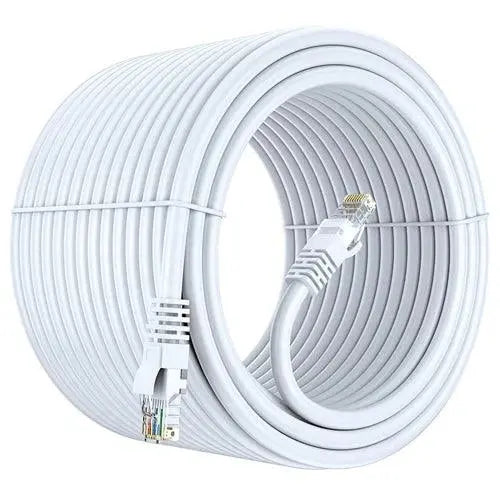
Ethernet cables are categorized as Cat5, Cat5e, Cat6, Cat6a, Cat7, and Cat8, each with different performance levels. Here’s what you need to know:
- Cat5: Supports up to 100 Mbps. Suitable for basic internet usage but outdated for modern needs.
- Cat5e: An improvement over Cat5, supporting up to 1 Gbps with reduced interference.
- Cat6: Offers up to 10 Gbps over short distances (55m) and better shielding, making it ideal for most work-from-home setups.
- Cat6a: Enhanced version of Cat6, supporting 10 Gbps over longer distances (100m).
- Cat7: Features superior shielding and supports speeds up to 10 Gbps. Ideal for heavy data tasks like video editing or data transfers.
- Cat8: The fastest option, supporting up to 40 Gbps. Overkill for most home setups unless you’re working in a tech-heavy environment.
- Cable Length
Choose a cable length that fits your workspace. Too short, and you’ll struggle to connect your devices; too long, and it can create clutter. Measure the distance between your router and workstation before purchasing.
- Shielding
For workspaces with multiple electronic devices, shielded Ethernet cables (e.g., Cat6a, Cat7) reduce interference, ensuring stable performance.
- Durability
Look for cables with reinforced connectors and strong outer jackets. Flat cables are excellent for tight spaces, while braided cables offer better durability.
Tips for Optimizing Ethernet Cable Use
- Use Cable Management Tools: Velcro ties and clips can keep your workspace tidy.
- Test Your Speed: Use online tools to ensure you’re getting the promised speeds.
- Avoid Overlong Cables: Excessive cable length can lead to signal degradation.
- Upgrade Your Router: Pairing a good Ethernet cable with a modern router ensures optimal performance.
Final Thoughts
Investing in a high-quality Ethernet cable can significantly enhance your work-from-home experience. Whether you need basic functionality or top-tier performance, understanding your needs and the technical specifications will help you make the right choice.
Stay connected, stay productive, and make the most of your work-from-home setup!
Frequently Asked Questions (FAQs)
1. Which Ethernet cable is best for working from home?
For most work-from-home setups, Cat6 or Cat6A Ethernet cables provide excellent speed, stability, and future-ready performance for video calls, streaming, and file transfers.
2. Is Cat7 overkill for home use?
For regular home networking, Cat7 is usually more than necessary. Cat6A is sufficient for most users unless you require very high-speed networking or advanced future-proofing.
3. Is Cat6 enough for 1000Mbps internet?
Yes. Cat6 easily supports 1Gbps (1000Mbps) internet connections and can even handle higher speeds over shorter distances.
4. Which Ethernet cable is best for speed?
Cat8 offers the highest performance for short distances, while Cat6A provides the best balance of speed, affordability, and compatibility for home users.
5. Which Ethernet cable is best for gaming?
The best Ethernet cable for gaming is typically Cat6A or Cat8 because they provide low latency, stable connections, and fast data transmission.
6. Is Cat8 Ethernet cable worth buying?
Cat8 is ideal for data centers and high-performance networking, but for most home users and work-from-home setups, Cat6A is usually a more practical choice.
7. What is the difference between Cat6A and Cat8 Ethernet cables?
Cat6A supports 10Gbps up to 100 meters, while Cat8 supports much higher bandwidth over shorter distances, making it suitable for enterprise environments.
8. Which Ethernet cable is best for a home network?
A Cat6A Ethernet Cable is one of the best choices for home networking because it delivers high speeds, reliability, and long-term compatibility.
9. Does Ethernet cable length affect internet speed?
Normally, Ethernet cables maintain full speed up to their rated maximum length. Excessively long or poor-quality cables may slightly reduce performance.
10. What is the maximum speed of Cat6 cable?
Cat6 supports up to 1Gbps at 100 meters and can support 10Gbps over shorter cable lengths.
11. How fast is a Cat7 cable?
A Cat7 cable supports speeds up to 10Gbps with better shielding that helps reduce electromagnetic interference.
12. Which Ethernet cable is best for long-distance connections?
For long-distance networking, Cat6A Ethernet cables are recommended because they maintain 10Gbps performance up to 100 meters.
13. Does an Ethernet cable improve video calls while working from home?
Yes. A wired Ethernet connection provides lower latency, fewer interruptions, and more stable bandwidth than Wi-Fi for video conferencing.
14. Is Wi-Fi or Ethernet better for remote work?
Ethernet is generally better for remote work because it delivers faster speeds, lower latency, and a more reliable connection during meetings and large file transfers.
15. Can Ethernet improve online gaming performance?
Yes. Ethernet reduces lag, minimizes packet loss, and provides a more stable gaming experience compared to wireless connections.
16. What Ethernet cable should I buy for 1Gbps internet?
A Cat6 Ethernet cable is more than enough for 1Gbps internet, while Cat6A offers additional future-proofing.
17. Are shielded Ethernet cables better for home offices?
Shielded cables help reduce interference in environments with many electrical devices, but unshielded Cat6A cables work well for most home offices.
18. How long does an Ethernet cable last?
A high-quality Ethernet cable can last for many years if installed properly and protected from excessive bending or physical damage.
19. Is upgrading from Cat5e to Cat6A worth it?
Yes. Upgrading to Cat6A improves bandwidth, future compatibility, and supports higher network speeds for modern work-from-home environments.
20. How do I choose the best Ethernet cable for my work-from-home setup?
Choose an Ethernet cable based on your internet speed, cable length, device compatibility, and future networking needs. For most users, Cat6A offers the best combination of speed, stability, and value.