



USB Printer Cable (USB A to B): Complete Buying Guide for Printers & Audio Devices

In a world of smart offices and wireless printers, the USB printer cable remains the most reliable way to connect your printer. Despite Wi-Fi, Bluetooth, and AirPrint, wireless printers frequently go “Offline” due to signal interference, IP conflicts, or unstable routers.
A USB printer cable provides a direct, stable, and secure wired connection that simply works, especially when printing urgent documents, invoices, or shipping labels.
Whether you are a home office warrior, a student with a thesis deadline, or a music producer looking for zero-latency recording, the right cable is the difference between frustration and flow. In this detailed guide, we will break down everything you need to know about USB printer cables, how to avoid buying the wrong one, and why India’s No.1 D2C brand, FEDUS, is redefining what you should expect from your connectivity hardware.
This guide explains what a USB printer cable is, why wired connections outperform wireless printing, and how to choose the right USB A to B cable for your device.
Part 1: Anatomy of a USB Printer Cable – What is a USB A to B Cable?
Before buying a USB printer cable, it’s important to understand the difference between USB connector types. Many buyers assume "USB is USB," but that mistake often leads to returns and wasted time.
The "USB-A" End: The Host
One end of this cable is the standard rectangular plug we all know. This is USB Type-A. It plugs into:
- Your Laptop or Desktop PC.
- A USB Hub or Docking Station.
- Your Smart TV (in some cases).
The "USB-B" End: The Peripheral
The other end is square-ish with bevelled top corners. This is USB Type-B (2.0). It plugs into:
- Printers: HP, Canon, Epson, Brother, Samsung, etc.
- Scanners: Flatbed and document scanners.
- Musical Instruments: Digital Pianos (Yamaha, Casio), MIDI Controllers, and Synthesisers.
- Audio Gear: DACs (Digital-to-Analog Converters) and Audio Interfaces.
- Legacy Hardware: Fax machines and older external drives.
Pro Tip: If your device port is flat and thin (like your Android phone charger), this cable will not fit. If the port is blue and has a "notch" or "bump" on top, it is likely a USB 3.0 B port (more on that later). The FEDUS TitanLink cable is designed specifically for the standard USB 2.0 B port found on 99% of printers and music gear.
Part 2: Why a USB Printer Cable Fixes the “Printer Offline” Problem
One of the biggest reasons people buy a USB printer cable today is to permanently fix the “printer offline” issue caused by unstable Wi-Fi connections.
1. The Stability Factor
Wi-Fi signals fluctuate. If your microwave is running, or your neighbor is streaming 4K video on the same channel, your printer might lose its connection packet. A wired FEDUS USB connection is a physical pipeline. There is no interference, no password changes, and no "searching for printer" dialog boxes. It just works.
2. Security and Privacy
For businesses handling sensitive documents—legal contracts, medical records, or financial data—printing over Wi-Fi introduces a vulnerability. A wired connection is air-gapped. Your data travels directly from PC to Printer without broadcasting over the network, making it the preferred choice for secure environments.
3. Setup Simplicity
Setting up a wireless printer often involves downloading apps, pairing via WPS buttons, and entering long Wi-Fi passwords. With a FEDUS cable, the process is "Plug and Play." Your computer detects the device instantly, installs the generic driver, and you are ready to print in seconds.
Part 3: The FEDUS Difference – Why Not All Cables Are Created Equal
When buying a USB printer cable, many people assume all cables are the same—but poor build quality is the biggest cause of connection failures.
This is a fair question. You can find generic printer cables at local computer shops for cheap. But as India’s leading D2C brand for network accessories, we have seen the inside of those cheap cables. They often use:
- Thin Aluminum Wire: Instead of copper, leading to signal loss.
- Zero Shielding: Making them susceptible to electrical noise.
- Weak Joints: The connector snaps off after a few months of bending.
The FEDUS USB Printer Cable Engineering Standard
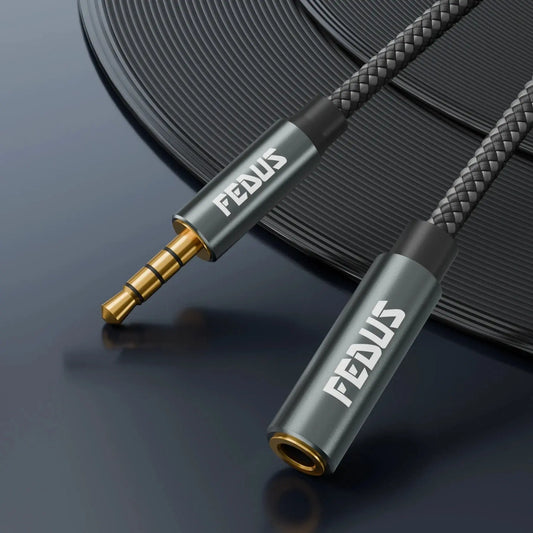
At FEDUS, we don't just sell cables; we engineer reliability. Here is what makes our SilverLine TitanLink Series different:
1. 100,000+ Bend Lifespan
Cables break because they get twisted behind desks, stepped on, or coiled tightly for travel. We use a proprietary, Flame-Retardant (FR) PVC jacket that is soft to the touch but incredibly tough. We test our cables to withstand over 100,000 bends at sharp angles. This is "Industrial Grade" durability for your home office.
2. Nickel-Plated Defence
Rust and corrosion are the silent killers of electronics, especially in humid Indian climates. Our connectors are precision-plated with Nickel. This ensures they remain shiny, conductive, and corrosion-free for years. A clean contact point means no data loss and no "device not recognised" errors.
3. Signal Shielding (EMI/RFI Protection)
Have you ever heard a buzzing sound in your speakers when a phone gets too close? That’s interference. Inside a FEDUS cable, we use a layer of Aluminum Foil and a braided metal mesh. This creates a "Faraday Cage" around your data, blocking Electromagnetic Interference (EMI) from power strips or other cables. This is critical for high-resolution scanning and professional audio recording.
Part 4: USB Printer Cable for MIDI, Audio & Music Production
Many professionals don’t realise that the same USB printer cable (USB A to B) used for printers is also widely used for MIDI keyboards, audio interfaces, and digital pianos.
Modern musical instruments use the exact same USB Type-B port as printers to send MIDI data to computers. If you are a music producer using software like Ableton Live, FL Studio, or Logic Pro, latency (delay) is your enemy.
Why FEDUS is the Musician's Choice
- Zero Latency: The high-purity copper core ensures that when you hit a key on your MIDI keyboard, the sound triggers instantly on your laptop.
- No Jitter: Cheap cables can introduce "jitter" (timing errors) in the MIDI signal, making your recording sound sloppy. Our shielded design keeps the timing tight.
- Length Without Loss: Musicians often need to route cables around drum kits or studio desks. Our 3-meter and 5-meter cables maintain perfect signal integrity, letting you set up your studio exactly how you want.
Part 5: USB Printer Cable Buying Guide – Avoid the Wrong Port Mistake
Choosing the wrong USB printer cable is the most common reason for returns and compatibility issues.
Check Your Shape!
Before you click "Buy Now," look at the back of your device.
- Is it a Square with chopped corners? ✅ YES. This is a USB 2.0 Type-B. The FEDUS cable is perfect for you.
- Is it Blue and Taller? ❌ NO. This is a USB 3.0 Type-B. It is used for high-speed external hard drives. Our cable will physically fit into the bottom half, but it will not work properly or at all.
- Is it Flat and Wide? ❌ NO. That is likely a specialised proprietary port or HDMI.
Length Matters
Measure the distance from your computer to your printer, then add 0.5 meters for slack.
- 1.5 Meters: Perfect for a laptop and printer on the same desk.
- 3 Meters: Ideal for reaching a printer on a nearby shelf or under the desk.
- 5 Meters: Great for routing around the room edges to a shared office printer.
- 10 Meters: For large offices where the printer is in a completely different zone.
Note: Only high-quality shielded cables like FEDUS can maintain speed at this length.
Part 6: Troubleshooting Your Connection
Even with the best cable, technology can be finicky. Here is a quick FEDUS Troubleshooting Guide if you plug in and nothing happens.
Scenario 1: "Device Not Recognized"
Fix: Try a different USB port on your computer. Sometimes, front-panel ports on PC cases have loose connections. Use the ports on the back (motherboard) for the best stability.
Scenario 2: Printer is "Offline" even when plugged in
Fix: Windows often creates two copies of a printer (one Wi-Fi, one USB). Go to "Printers & Scanners," look for the one that says "Ready," and set it as default. The "Offline" one is likely your old Wi-Fi connection.
Scenario 3: Scanner is slow
Fix: Ensure you aren't using an unpowered USB Hub. Scanners draw power from the USB bus. Plug the FEDUS cable directly into the laptop/PC to give it full power.
Part 7: The FEDUS Promise – Why We Are India’s #1 D2C Brand
In a market flooded with generic, "use-and-throw" electronics, FEDUS stands for permanence. We started with a simple mission: to provide Indian consumers with network and IT hardware that meets global quality standards without the imported price tag.
When you buy a FEDUS product, you are supporting a homegrown brand that invests in:
- Quality Control: Every batch is tested for continuity, voltage drop, and physical strength.
- Customer Support: We don't hide behind chatbots. We offer real support for our customers.
- Sustainability: By building cables that last 5x longer than generic ones, we help reduce e-waste. "Buy Once, Buy Right" is our motto.
Our Warranty
We are so confident in the TitanLink Pro Series that we back it with a 2-Year Warranty. If it stops working due to a manufacturing defect, we replace it. No questions asked. That is the confidence of a brand that powers the connectivity of India.
Conclusion: Upgrade Your Workflow Today
Don't let a ₹200 generic cable be the bottleneck in your ₹50,000 setup. Whether you are printing critical business documents, scanning family photos, or recording your next hit song, you need a connection you can trust.
The FEDUS USB 2.0 Printer Cable offers the perfect blend of durability, speed, and premium engineering. It’s time to stop fighting with your Wi-Fi and start getting work done.
Ready to experience the FEDUS difference?
Scroll up, select your required length (1.5M, 3M, 5M, or 10M), and add to cart. Join the family of over 1 Lakh+ satisfied customers who have made the switch to India’s No.1 D2C Brand.
FEDUS – Connected. Always.
Frequently Asked Questions (FAQs)
Q1. Can I use a USB printer cable instead of Wi-Fi?
Yes. A USB printer cable offers a more stable and faster connection than wireless printing, especially for large files and frequent use.
Q2. Are all USB printer cables the same?
No. Cheap cables often use aluminum wiring and poor shielding, which can cause disconnections and slow data transfer.
Q3. What is the ideal length for a USB printer cable?
For best performance, choose the shortest length that fits your setup. High-quality cables like FEDUS work reliably even at 10 meters.
Q4: Will this cable fit my HP LaserJet 1020?
Yes! This cable features a standard USB 2.0 Type-B connector, which is compatible with 99% of printers, including the HP LaserJet series, Canon Pixma, and Epson EcoTank.