



Why Your Cable Won’t Fit: Understanding the “Notch” in C15 High-Temp Cords

The “Notch” That Matters: The Ultimate Guide to IEC C13 vs. C15 Power Cords
Imagine this scenario: You’ve just invested in a high-performance Cisco Catalyst switch or a new rack-mounted server for your office data centre. You unbox the hardware, slide it into the rack, and reach for a standard power cable to plug it into your PDU.
But it doesn't fit.
You try to push it in, but something is blocking it. You look closely at the power inlet on your device and notice a small plastic pin or a "notch" at the bottom. You look at your cable, and it’s smooth.
Welcome to the world of IEC C15 "Hot Condition" connectors.
In the world of IT networking and high-performance hardware, not all power cables are created equal. Using the wrong cable isn't just a matter of "it won't fit"—it’s a matter of fire safety, thermal management, and protecting your expensive equipment.
At FEDUS, India’s No. 1 D2C brand for network and IT hardware, we believe in empowering our customers with knowledge. In this comprehensive guide, we will demystify the difference between C13 and C15 cables, explain why your high-end gear requires specific power cords, and why upgrading to a FEDUS Premium 18AWG C14 to C15 Power Link Cable is the cheapest insurance policy you can buy for your hardware.
1. The Basics: Decoding the IEC Standards
Before we talk about "Notches" and "Heat," let’s briefly understand the language of power cords. These cables follow standards set by the International Electrotechnical Commission (IEC). Specifically, the IEC 60320 standard.
This standard uses odd numbers for Female Connectors (the end that goes into your device) and even numbers for Male Connectors (the inlet on the device or the plug on the PDU).
The Common Standard: C13 and C14
- IEC C13 (Female): This is the cable end you see everywhere. It powers your desktop PC, your monitor, your standard printer, and your electric kettle. It has three holes and a smooth, coffin-like shape.
- IEC C14 (Male): This is the inlet on your PC or the plug end of an extension cord (Power Link Cable) that goes into a PDU or UPS.
The Limitation: The standard C13/C14 combination is rated for temperatures up to 70°C. For most home electronics, this is perfectly fine. Your monitor doesn't get that hot.
The High-Temp Standard: C15 and C16
- IEC C15 (Female): This looks almost identical to the C13, except for one crucial detail: a Notch (a cut-out) at the bottom of the face. This is often called a "Hot Condition" connector.
- IEC C16 (Male): This is the inlet found on high-temperature devices. It has a corresponding plastic pin that fits into the C15 notch.
The Advantage: The C15/C16 combination is rated for temperatures up to 120°C.
2. What Is the Difference Between IEC C13, C14, and C15?
Let’s clear this first, because most confusion starts here.
IEC connector basics (IEC 60320 standard)
-
Odd numbers = female connectors (cable end)
-
Even numbers = male inlets (device or PDU side)
Simple breakdown
| Connector | Type | Temp Rating | Common Use |
|---|---|---|---|
| C13 | Female | Up to 70°C | PCs, monitors, basic equipment |
| C14 | Male | Up to 70°C | PC power inlets, PDUs, UPS |
| C15 | Female (with notch) | Up to 120°C | Switches, servers, PoE devices |
| C16 | Male (with pin) | Up to 120°C | High-temperature equipment |
3. The "Notch" Explained: Why Does It Exist?
Why C15 Power Cables Have a Notch (And C13 Doesn’t)
You might be wondering, "Why make it complicated? Why not just use C13 everywhere?"
The notch is a safety feature. It is a physical "key" designed to prevent you from using a low-temperature cable on a high-temperature device.
High-density computing equipment, like PoE (Power over Ethernet) switches, Blade Servers, and enterprise Routers, generates a massive amount of heat. The power supply units (PSUs) in these devices can get very hot during operation, especially in a cramped server rack running 24/7.
If you were to plug a standard C13 cable (rated for 70°C) into a device that runs at 100°C, the plastic on the connector could melt. This could lead to:
1. Short Circuits: Exposed wires touching.
2. Arcing: Sparks flying inside the rack.
3. Fire: The melted plastic ignites.
The manufacturer puts a C16 inlet (with the pin)on their device to physically stop you from inserting a standard C13 cable. You must use a C15 cable (with the notch) to make the connection.
> Pro Tip: A C15 cable (High Temp) is backwards compatible. You can plug a FEDUS C15 cable into a standard C14 inlet (like a PC). However, you cannot plug a standard C13 cable into a high-temp C16 inlet.
4. Why FEDUS? The 18AWG & Pure Copper Advantage
Simply finding a cable with a "Notch" isn't enough. The market is flooded with cheap, unbranded cables that look like C15's but perform like fire hazards.
At FEDUS, we engineered our C14 to C15 Power Link Cable to meet the rigorous demands of India’s data centres and IT professionals. Here is what sets the FEDUS cable apart:
A. The Gauge Game: 18AWG vs. 24AWG
Wire thickness is measured in AWG (American Wire Gauge). The lower the number, the thicker the wire.
- Cheap Cables (22-24 AWG): Thin wires. When high current flows through them (like from a powerful server), they encounter high resistance. Resistance creates heat. Thin wires get hot, causing voltage drops that can make your server unstable or reboot randomly.
- FEDUS Cable (18 AWG): We use thick, heavy-duty 18AWG wire. This offers low resistance, allowing power to flow freely and coolly. It creates a stable electrical pathway for your mission-critical hardware.
B. 100% Oxygen-Free Copper vs. CCA
Many budget manufacturers cut costs by using CCA (Copper Clad Aluminium). This is an aluminium wire dipped in a thin layer of copper.
- The Problem with CCA: Aluminium is brittle and breaks easily when bent (bad for cable management arms). It also has 40% higher resistance than copper, meaning it generates significantly more heat.
- The FEDUS Promise: We use 100% Pure Oxygen-Free Copper. It is flexible, durable, and highly conductive. It ensures that the power leaving your PDU reaches your device without loss or excess heat.
C. Flame Retardant PVC (FR-PVC)
Data centres are enclosed spaces with high airflow but plenty of potential fuel. Standard PVC cables can burn and release toxic black smoke. FEDUS cables are jacketed in FR-PVC, which is self-extinguishing and designed to resist ignition. In a professional environment, this isn't a luxury; it’s a requirement.
5. Compatibility Guide: Do You Need This Cable?
How do you know if the FEDUS C14 to C15 Power Link Cable is right for you? Check your hardware.
You definitely need this cable if you own:
1. Cisco Catalyst Switches: Many models (like the 3560, 3750, 3850, 4500 series) use C16 inlets because they support PoE (Power over Ethernet), which draws significant power and generates heat.
2. HP ProCurve / Aruba Switches: High-end managed switches often require C15 connections.
3. Dell PowerEdge / HP ProLiant Servers: Certain high-performance rack servers.
4. Juniper Networks Routers: Enterprise-grade routing gear.
5. Kitchen Appliances: Surprisingly, electric kettles and some high-temp kitchen gear also use C15/C16 standards (though you would usually need a wall plug version; this C14-C15 link is for UPS/PDU connection).
You can also use this cable for
- Standard PCs & Monitors: Since C15 fits into C14 inlets, you can use this high-quality cable for your gaming rig or workstation if you want superior shielding and current handling compared to the cheap cable that came in the box.
6. The Role of the PDU (Power Distribution Unit)
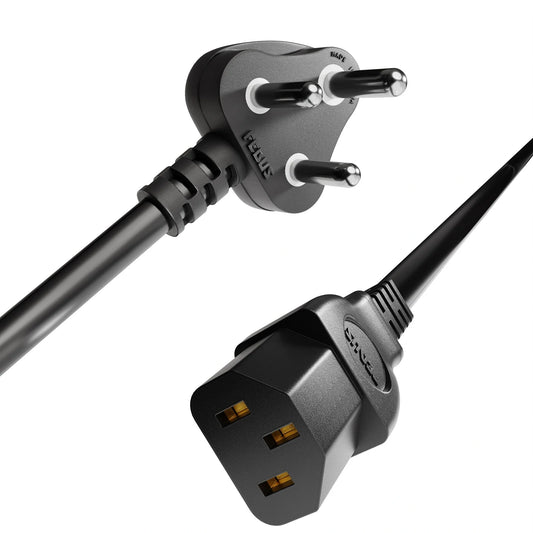
It is important to note that this is a Link Cable (Extension Cord). It has a C14 Male end and a C15 Female end.
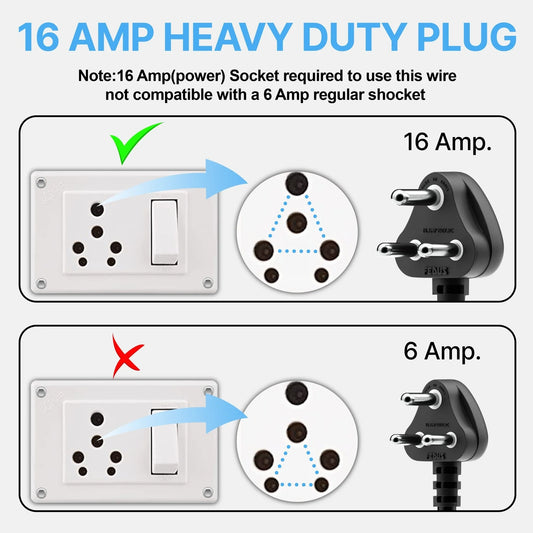
- It does NOT plug into a standard Indian wall socket.
- It PLUGS INTO: A UPS (Uninterruptible Power Supply) or a PDU (Power Distribution Unit) mounted in a server rack.
If you are setting up a server rack, cable management is key. Using long, standard cables creates a "spaghetti mess" that blocks airflow. The FEDUS C14 to C15 cable is designed to provide a clean, short link between your rack-mounted PDU and your switch/server, improving airflow and aesthetics.
7. Common Mistakes to Avoid (Read Before Buying)
To ensure you have the best experience and avoid the hassle of returns, watch out for these common pitfalls:
-
Mistake #1: Ignoring the Inlet Shape.
Don't just assume "it looks like a computer cable." Look for the notch. If your device has a notch, a standard C13 cable will not fit. -
Mistake #2: Buying for a Wall Socket.
Remember, the "Male" end of this cable is C14 (three vertical pins in a shroud). It fits into a UPS or PDU, not a 3-pin wall outlet. -
Mistake #3: Ignoring the Amp Rating.
Ensure your PDU can handle the load. This cable is rated for 10A-15A, suitable for almost all IT equipment.
8. Strategic Suggestions for Maintenance & Safety
As India's leading D2C brand, we don't just want to sell you a cable; we want your network to last. Here are some maintenance tips for your power infrastructure:
1. Don't Over-Bend: While FEDUS cables are tested for 10,000+ bends, try to avoid sharp 90-degree turns immediately at the connector base. Use cable management arms.
2. Check for Heat: Once a month, touch the connectors (carefully). They should be warm, not hot. If a connector is hot to the touch, it indicates a loose connection or an overloaded circuit.
3. Gold Plated Matters: Over time, humidity can cause oxidation on connector pins. FEDUS uses gold-plated pins to prevent this, but ensuring your server room humidity is controlled (40-60%) will further extend the life of all your electronics.
4. Label Your Cables: In a busy rack, use velcro tags to label which cable goes to which server. It saves panic during maintenance windows.
9. Conclusion: Don't Compromise on Power
Your network is the backbone of your business. Your servers hold your data; your switches connect your team. Why risk lakhs of rupees worth of hardware with a cheap, thin, unbranded power cord?
The FEDUS Premium IEC C14 to C15 Power Link Cable offers:
- Higher Safety: 120°C Thermal Rating.
- Better Performance: 18AWG Pure Copper.
- Guaranteed Compatibility: Precision Moulded Connectors.
- Peace of Mind: 2-Year Warranty from India’s No.1 D2C Network Brand.
Upgrade your infrastructure today. Because when it comes to power, "good enough" is never enough.
Frequently Asked Questions (FAQs)
Q1: Can I use this C15 cable on a standard computer that uses a C13 port?
A: Yes, absolutely. The C15 connector is "backwards compatible." It will fit into a standard C14 inlet (like on a desktop PC) securely. Using this cable on a standard device is actually an upgrade because of the thicker 18AWG wire and higher heat resistance.
Q2: Will a standard C13 cable fit into my Cisco switch that has a C16 inlet?
A: No. The C16 inlet has a pin that corresponds to the notch on the C15 cable. A standard C13 cable lacks this notch and will be physically blocked from entering the port. You must use a C15 cable.
Q3: What does 18AWG mean, and why is it better?
A: AWG stands for American Wire Gauge. The lower the number, the thicker the wire. Standard cables are often 24AWG (thinner). FEDUS uses 18AWG (thicker), which can carry more current with less heat and resistance, ensuring stable power delivery.
Q4: Is this cable suitable for use in a server rack PDU?
A: Yes, this is its primary design. The C14 Male end is designed to plug directly into rack-mounted PDUs (Power Distribution Units) or UPS systems.
Q5: Does FEDUS offer a warranty?
A: Yes! We are proud of our quality. We offer a 2-Year Replacement Warranty on our power cables. Plus, as an Indian brand, our customer support is always accessible to help you.
Q6: Is the wire Copper or Aluminum?
A: FEDUS guarantees 100% Pure Oxygen-Free Copper. We do not use CCA (Copper Clad Aluminium) as it poses a fire risk and has poor conductivity.
Q7: What devices typically use this C15 cable?
A: Common devices include Cisco Catalyst Switches (3750, 3850, 4500, etc.), HP ProCurve switches, Dell PowerEdge servers, and high-temperature kitchen appliances like electric kettles (though this cable is for PDU connection, not wall outlets).
Q8: Can this cable handle 24/7 continuous usage?
A: Yes. The combination of high-grade copper, flame-retardant PVC, and solid moulded connectors makes it ideal for 24/7 mission-critical environments.


