



Decoding Ethernet Cable Colors: What Do They Really Mean?

In a world where things are becoming increasingly connected, the humble Ethernet cables are working tirelessly to make that digital lifestyle a fact. Whether streaming your favorite series or having those much-needed Zoom meetings, those thin not-so-noticeable wires guarantee that your flow of information transfer is smooth and effective. But have you ever stopped to wonder why Ethernet cables come in so many colors?
These cables are available in different colors, which one might think is purely for aesthetic purposes. Or is it? In this blog, we'll break down what different Ethernet cable colors mean, their practical uses, and how choosing the right color can improve your networking experience.
What do the colors on Ethernet cables serve for?
Well, to clarify up top: the color has no bearing whatsoever on any specifications or performances of your ordinary, regular Ethernet cable. I mean, whether a given cord is blue, red, or yellow—it won't matter. The colors, on the other hand, could contribute seriously in an important function area such as organization and management during troubleshooting.
Imagine a data center with hundreds of Ethernet cables connecting switches, servers, and workstations. Proper color coding eliminates confusion by making the identification and tracing of cables by IT professionals much quicker and more accurate.
What do the colors on Ethernet cables mean?
Although no standard dictates what each color should mean, there are some generally accepted practices across different networking configurations:
Blue Ethernet Cables
- Use: This is generally used to connect computers and other networking devices like switches and routers.
- Discussion: Blue often depicts major network connections and is thus used in the majority of situations at homes and offices.
Yellow Ethernet Cables
- Used for: Commonly used for Power over Ethernet (PoE) connections.
- Why It Matters: These cables carry both data and power and thus enable devices like IP cameras, VoIP phones, and wireless access points.
Green Ethernet Cables
- Traditional uses: Crossover cables, connections to or from like devices.
- Importance: Though not as relevant today, crossover cables once had significance with direct computer-to-computer or switch-to-switch connections without using a hub.
Red Ethernet cables
- Use: Typically reserved for critical or high-priority connections, such as server-to-router links.
- Significance: Red is often used to highlight essential or sensitive connections that need to remain secure and uninterrupted.
Gray Ethernet Cables
- Use: Standard choice for general patch cables in general-purpose connections.
- Pertinence: Gray is neutral and, therefore, can fit into any type of unstructured network.
Black Ethernet Cables
- Use: Frequently found in outdoor or industrial settings.
- Important: Black color cables are usually UV-resistant, durable, and thus fit for outdoor installations or for professional use.
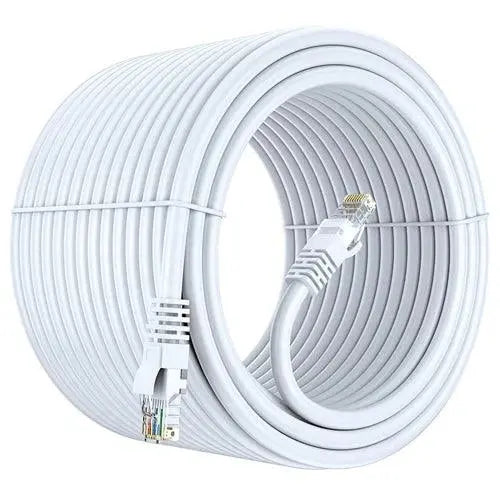
White Ethernet Cables
- Preferred: For aesthetic appeal both in home and office networks.
- Why It Matters: White cables will visually disappear into walls and baseboards, promoting a clean and tidy appearance in visible areas.
Orange Ethernet Cables
- Less common: But sometimes deployed for specialized applications, such as backbone connections or alarm systems.
- Purpose: The bright color draws attention to the links that need special attention or treatment.
Color-Coding Your Network: Dos and Don'ts
Be it managing a big office network or installing home internet, here are a few ways of effective Ethernet cable color-coding:
- Establish a color scheme before wiring: Blue for PCs, Yellow for PoE devices, and Red for servers are popular choices.
- Add Labels: Colors are good, but labels give more clarity to keep cables distinguishable even when the color scheme changes.
- Consistent Use: Stick to your scheme, including updating documentation if colors are ever reassigned.
Do Colors Matter?
To the average user, the color of Ethernet cables is really not that much of an important thing, but for network technicians, this may indeed spell the difference between resolution of the network issue within minutes and resolution of that very same network issue taking a couple of hours. Colorfully organized schemes make the most complicated settings comprehensible.
Conclusion
Ethernet cables come in colors that are more than decorative; they are, in fact, very practical tools for managing and organizing a network. Power users, small business owners, and IT professionals alike can learn something from Ethernet cable colors.
So, the next time you see a blue, yellow, or red Ethernet cable, remember: it is more than just a wire; it connects worlds, thoughtfully color-coded.
Frequently Asked Questions (FAQs)
1. Do the colors of Ethernet cables mean anything?
The outer jacket color usually doesn't affect performance. Manufacturers use different colors mainly for cable identification and network organization.
2. What is the Ethernet cable colors order?
The Ethernet cable colors order refers to the arrangement of the eight colored wires inside an RJ45 connector following either the T568A or T568B standard.
3. What is the RJ45 colour code for Cat6?
The RJ45 colour code Cat 6 typically follows the T568B standard:
White/Orange, Orange, White/Green, Blue, White/Blue, Green, White/Brown, Brown.
4. What is the Ethernet cable color code RJ45?
The Ethernet cable color code RJ45 follows two international wiring standards:
- T568A
- T568B
Both provide the same network performance when wired correctly.
5. Where can I find an Ethernet cable color code PDF?
Many networking manufacturers and standards organizations provide an Ethernet cable color code PDF showing T568A and T568B wiring diagrams.
6. Is the Cat6 cable color code different from Cat5e?
No. The Ethernet cable color code Cat 6 is identical to Cat5e. The performance difference comes from cable construction, not wire color order.
7. What color Ethernet cable should I use for gaming?
There is no special Ethernet cable color for gaming. Performance depends on cable category like Cat6 or Cat6A, not the jacket color.
8. What is Cat6 cable color code and its uses?
The Cat 6 cable color code and uses follow T568A or T568B standards and are commonly used for gaming, streaming, offices, data centers, and home networking.
9. Does Ethernet cable color affect speed?
No. Ethernet cable color speed has no relationship. Speed depends on cable category, quality, and installation.
10. What is the difference between the color codes for Ethernet cables?
The only difference is the arrangement of the green and orange wire pairs between T568A and T568B. Both standards provide the same performance.
11. Should I use T568A or T568B?
Most modern home and office networks use T568B. The important rule is to use the same standard on both cable ends.
12. Is Cat5 or Cat7 better?
Cat7 offers higher shielding and supports higher bandwidth than Cat5, making it better for demanding networking applications.
13. Is Cat5 or Cat6 better?
Cat6 is faster, supports higher bandwidth, reduces crosstalk, and is more future-ready than Cat5.
14. Can I mix T568A and T568B on the same cable?
No. Using different standards on each end creates a crossover cable, which is only required for certain networking scenarios.
15. Why are Ethernet wires twisted?
Twisted pairs reduce electromagnetic interference (EMI) and crosstalk, improving signal quality and network stability.
16. What happens if the Ethernet wire colors are connected incorrectly?
Incorrect wire order may result in slow speeds, unstable connections, or complete network failure.
17. Which Ethernet cable category is best for home networking?
Cat6 is the most popular choice because it offers an excellent balance of speed, performance, and affordability.
18. Can Ethernet cable colors help identify different networks?
Yes. Many installers use different jacket colors to distinguish between LAN, CCTV, VoIP, servers, or different network segments.
19. Does shielding affect the Ethernet cable color code?
No. Shielded and unshielded Ethernet cables use the same T568A and T568B wire color order.
20. Which Ethernet cable should I buy for future-proof networking?
For most users, Cat6A provides an excellent balance of performance and longevity, while Cat8 is suitable for ultra-high-speed professional networking and future applications.